


What can I ask the Odoo AI agent to do?

Binovo AI Agent
Binovo AI Agent is a conversational AI agent built into Odoo Discuss. It queries your data in plain language, drafts, summarises and translates documents, draws charts and opens pre-filtered views. To create or change a record, it asks for your authorisation at that moment.
Make me a quotation for this customer with what they ordered last time
A draft quotation, created with your authorisation.
Which customers haven’t bought anything for three months?
Inactive accounts, ready for a win-back campaign.
Show me this quarter’s sales by salesperson
A chart drawn right in the conversation, without building a report.
What’s the status of this order?
The answer instantly, without clicking through menus.

Create a lead with the details in this email
The complete lead, created with your authorisation.
How is my pipeline looking this month?
Opportunities by stage, summarised instantly.
Summarise this customer for me before the call
Order history, issues and last interaction in seconds.
Load this supplier price list
The prices are set up, with your authorisation.
Prepare a purchase order for this supplier
The draft order, ready for you to review.
Which orders are still waiting to be received?
The Odoo view opens already filtered.
Compare prices for this item across suppliers
The comparison in seconds.
What’s on my calendar this week?
Your appointments and meetings, in one answer.
How many people are in each department?
Your headcount at a glance.
Prepare a pay equity report for me
An aggregated analysis for HR to review.
I look things up and report, but I don’t assess, score or make decisions about people.
Which customer invoices are overdue?
The list and, if you like, the payment reminder already drafted.
Compare spending by category with last year
A chart showing how the two periods compare.
Post an executive summary every Monday
A task scheduled from the calendar, if you choose to turn it on.
Translate this contract into English
The translated text, for a person to review before it’s sent.
Everything the agent does, in short
- Gives you information on any data you have in Odoo.
- Suggests what you should review.
- Schedules recurring actions.
- Answers your questions: “How do I post an entry for…?”.
- Checks whether you’re doing things right and advises you on how to do them.
- Flags errors or inconsistencies in the data.
- Creates records in Odoo, new or duplicated, with your authorisation.
- Takes you to specific records or screens.
- Saves your recurring queries so you can run them whenever you like.
- Sends emails to your customers and contacts, with your authorisation.
- Generates reports and files (Excel, PDF…).
- Generates presentations in HTML.
- Builds dashboards on request.
- Reads documents (purchase price lists, sales orders…) and creates the corresponding documents in Odoo.
- And more: you can add new skills to it.
- What it does
- Queries Odoo in plain language, drafts, summarises, translates, draws charts, opens views and filters, and creates or changes records with your authorisation.
- What it doesn’t do
- It doesn’t act without permission, doesn’t serve customers or the public and doesn’t make decisions about people.
- AI model
- The one you choose: Anthropic Claude, Google Gemini, OpenAI ChatGPT, DeepSeek or a local model with Ollama.
- AI Act
- Limited risk (Art. 50). The agent always identifies itself as AI.
Can AI read my supplier invoices in Odoo?
Binovo AI Invoice Capture
Yes. Binovo AI Invoice Capture reads supplier invoices in PDF, extracts the supplier, number, dates, lines, taxes and totals, suggests the account and creates the invoice in Odoo as a draft, with the PDF attached. It doesn’t validate, post or pay: a person does that.
| M8 stainless screws · 400 pcs × €2.10 | €840.00 |
| M8 flat washer · 1,000 pcs × €0.40 | €400.00 |
| Tax base | €1,240.00 |
| VAT 21% | €260.40 |
| Total | €1,500.40 |
- Vendor
- Suministros Oria, S.L.
- Reference
- F-2026/0412
- Date
- 12/09/2026
- Suggested account
- 600 Purchases of goods
- Purchase order
- P00087 · price matches
- Total
- €1,500.40
Before posting
- Matches each invoice to its purchase order and warns you if the invoiced price doesn’t match the agreed one.
- Flags possible duplicates and credit notes.
- Detects new suppliers and suggests creating them: name, tax ID, address and fiscal position.
At volume
- Processes whole batches: the invoices piled up at month end go in at once.
- Reads different layouts without templates per supplier.
Learns from your corrections
- You tell it “for this supplier, use account 628” and it applies it to the next invoices, without touching code.
- Data filled in by the AI is flagged as such in Odoo.
- What it does
- Extracts the invoice data, suggests the account (Spanish chart of accounts 600–678) and product, and creates the draft with the original PDF attached.
- What it doesn’t do
- It doesn’t validate, post or pay. It doesn’t reconcile payments. It doesn’t read scanned PDFs without a text layer.
- AI model
- Anthropic Claude, with your own API key.
- AI Act
- Minimal risk.
And my team’s expense receipts?
Binovo AI Expense Capture
Binovo AI Expense Capture turns the photo or PDF of a receipt into an Odoo expense that’s already filled in: description, category, amount and date. The employee reviews and submits it; their manager approves it through Odoo’s standard workflow.
- Description
- Diesel
- Category
- Fuel
- Amount
- €62.40
- Date
- 16/09/2026
On the spot
- A photo as you leave the restaurant or petrol station; the expense is filled in by the time you’re back at the office.
- Fuel, restaurant, taxi, parking, tolls or hotel: the same process for all of them.
Every euro in its place
- With the project dimension, the expense is charged to the right project.
- Managers approve expenses that are already categorised, not blurry receipts to decipher.
Two ways to connect it
- Direct connection to Anthropic Claude.
- Via n8n and the OCA bridge, with the model you already use in your workflows.
- What it does
- Reads the photo or PDF of the receipt attached by the employee and fills in the expense.
- What it doesn’t do
- It doesn’t approve or reject expenses. It doesn’t analyse spending patterns by person.
- AI model
- Anthropic Claude with your API key, or the model you set up in your n8n workflow.
- AI Act
- Minimal risk.
Who answers my Odoo question at eight in the evening?
Binovo AI Support Hub
Binovo AI Support Hub is a first-line support assistant inside Odoo. It knows the code of the modules you have installed, answers functional and technical questions and, when it can’t solve them, opens a ticket with Binovo support with the conversation attached. Requires Binovo AI Agent.
Why hasn’t this invoice been validated?
The supplier’s fiscal position is missing. Fill it in on their record and validate again.
It’s already set and it still fails.
Everyday questions
- “How do I set up a volume discount on a price list?”, answered on the spot.
- A step-by-step guide for a new user: their first order, their first invoice.
Technical questions
- “Which module handles expense approval?”: it finds out by reading your installation.
- Tells whether a problem comes from a customisation or from standard Odoo.
When it can’t
- It opens the ticket for you, with your authorisation.
- The technician doesn’t start from scratch: they get the conversation history.
- What it does
- Everything in Binovo AI Agent, plus looking up your modules’ code and escalating to a support ticket.
- What it doesn’t do
- It doesn’t read code or open tickets without your authorisation. It doesn’t use conversations for anything other than support.
- Requirements
- Having Binovo AI Agent and signing a data processing agreement before turning on the daily sync of conversations with Binovo.
- AI Act
- Limited risk (Art. 50).
Where can I see it working?
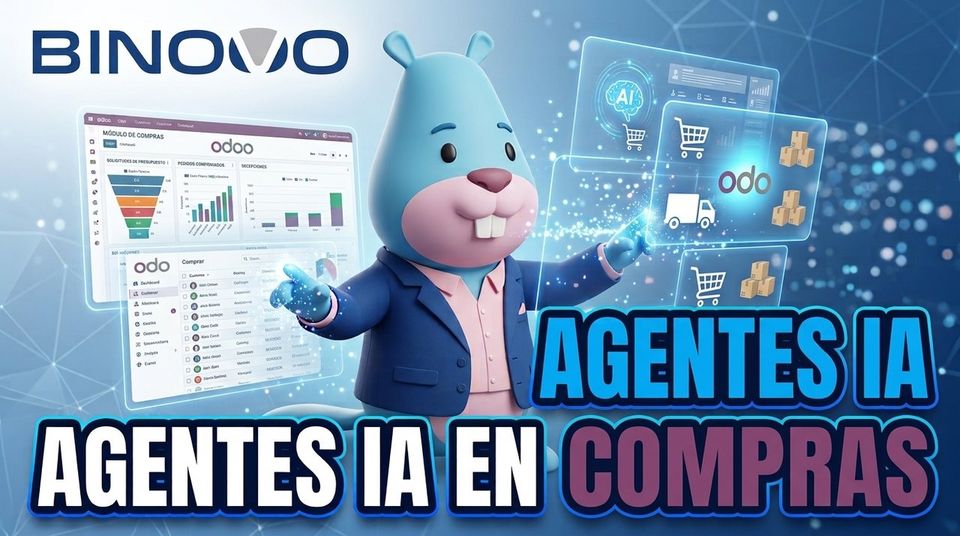
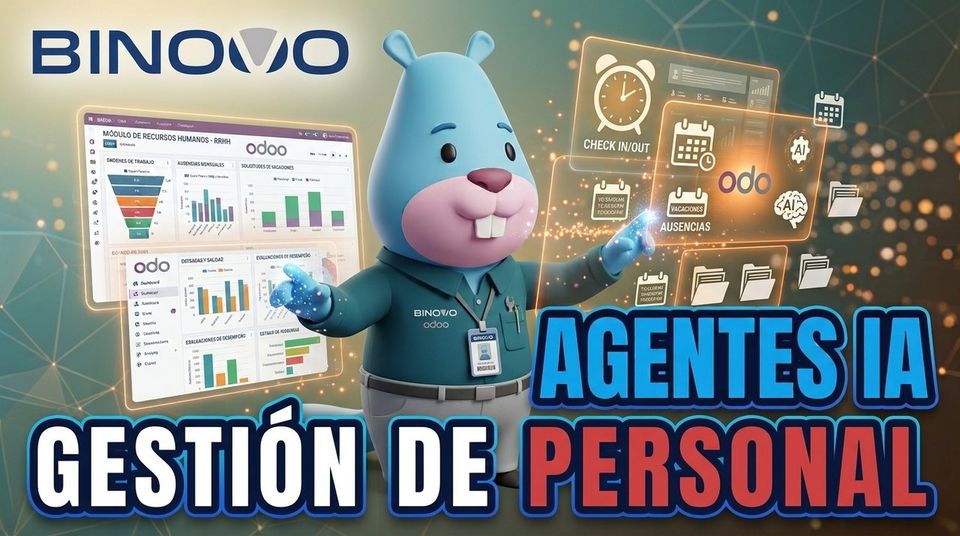
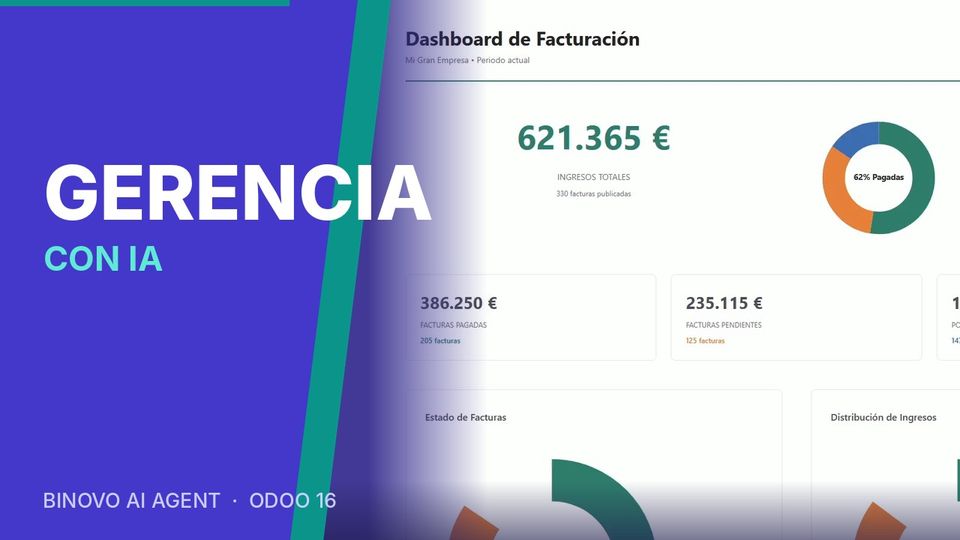
You can see Binovo Apps AI products working in these demo videos. Each one shows a use case from start to finish, and we keep adding more. The videos are in Spanish.
The agent, by department
Do I need AI in my Odoo now?
You don’t need a big project. Start with one product, on the Odoo you already have.
When supplier invoices are drafted without typing, a quotation is ready in seconds and Odoo questions are answered at any hour, the same team spends fewer hours on admin. Small and mid-sized companies are only just getting started, so there is room to do this without rushing.
Source: INE (Spanish National Statistics Institute), Survey on ICT usage and e-commerce in companies 2025 (first quarter), as reported by CaixaBank Research in May 2026.
Who decides, the AI or me?
You. The AI prepares the work and leaves it waiting for a person.
None of the four products posts, pays, approves an expense or decides about people on its own. This is how the work is split:
| Product | What the AI prepares | What you decide |
|---|---|---|
| Binovo AI Agent | Queries, texts, charts and proposed changes in Odoo. | You authorise each tool: “this time”, “always” or “deny”. |
| Binovo AI Invoice Capture | The draft invoice, with the suggested account. | You review the data and validate the entry. |
| Binovo AI Expense Capture | The expense filled in from the receipt. | The employee reviews and submits; their manager approves. |
| Binovo AI Support Hub | The answer to the question or the proposed ticket. | You authorise reading the code and opening the ticket. |
Each product comes with its transparency sheet under Regulation (EU) 2024/1689 on Artificial Intelligence: intended purpose, excluded uses, data that leaves your Odoo and division of responsibilities. Decisions about people, creditworthiness assessment and profiling are out of scope.
Is it safe to put AI deep inside my ERP?
Yes, because the AI comes in under your Odoo's rules, not its own.
Lots of companies offer AI agents. The difference is what they can touch inside your ERP. Binovo AI Agent works inside Odoo under the same rules as a person on your team:
- It sees what you see
- It queries with the permissions of the user who asks: Odoo groups, access rights and record rules. If you can't see payroll, neither can the agent.
- It asks before acting
- Before creating or changing anything, it asks you: authorise once, authorise always or deny. Every decision is recorded.
- It can't bypass security
- Administrator operations and switching user or company are blocked by design.
- You decide who uses it
- By user groups. Anyone who isn't authorised is told the agent can't help them.
- You choose the model and where data goes
- In the cloud with your provider, locally with Ollama, or in Binovo's data centre.
- Everything stays in Odoo
- Every conversation is saved, with the tokens used.
And we configure it with you, on the Odoo we already know. That's why we only offer it to Binovo clients.
Why Binovo Apps AI and not Odoo 20’s AI?
Your Odoo, your AI model and your data.
Odoo 20 has simplified things: all its AI is paid for with Odoo credits and Odoo picks the model for each task. It’s convenient, but in return you no longer choose the model, pay for AI at your provider’s price or decide where your data goes. With Binovo Apps AI, those three decisions stay yours:
| What to check | Odoo 20 AI | Binovo Apps AI |
|---|---|---|
| How you pay for AI | With Odoo IAP credits, in every AI feature. | Directly to your provider, at their price. In Odoo you see the tokens of each message and set a limit per agent. |
| Your own API key | The Odoo 19 settings for using your own OpenAI or Gemini account are gone, according to partners who have reviewed version 20. | Always. Each agent uses your key and your account; Binovo has no access to it. |
| Who chooses the model | Odoo. It only offers OpenAI or Google models, and everything goes through its servers. | You: Claude, Gemini, ChatGPT, DeepSeek or Ollama locally, and the specific model for each agent. |
| AI on your own servers | Not available. | Yes, with Ollama on your servers or in Binovo’s data centre: what the AI processes never goes to external providers. |
| Your conversations with the AI | Odoo keeps them for up to 30 days after the last message. | They stay in your own Odoo, like any other Discuss conversation. |
| Odoo licence | Designed for Odoo Enterprise, with a per-user fee. | Odoo Community or Enterprise, with no per-user fees. |
- It asks before it acts. You authorise each tool: “this time”, “always” or “deny”.
- A transparency sheet for every product. Under Regulation (EU) 2024/1689 on Artificial Intelligence.
- Set up by the people who built it. The same team that develops it and implements Odoo.
Comparison based on the Odoo 20 release notes (24 September 2026), analyses published by Odoo partners and the Odoo 19 documentation, consulted in October 2026. Odoo is a trademark of Odoo S.A.; Binovo Apps AI is an independent development by Binovo.
Which AI model does it use and where does my data go?
The language model isn’t part of the product: you sign up for it with your own API key and Binovo has no access to that key. Not all products support the same models: Binovo AI Agent works with Claude, Gemini, ChatGPT, DeepSeek or local models; the table shows each product. With Binovo AI Agent you can use a local model with Ollama, and then what the AI processes never leaves your network. If you can’t set one up, Binovo offers local models (Ollama, Qwen) in its own data centre: the information never leaves it and is deleted after 24 hours.
| Product | Compatible models | What leaves your Odoo |
|---|---|---|
| Binovo AI Agent | Claude, Gemini, ChatGPT, DeepSeek or Ollama locally | Your messages, the files you attach and the output of the tools you authorise. |
| Binovo AI Invoice Capture | Claude | The text of each processed invoice. |
| Binovo AI Expense Capture | Claude, or the model in your n8n workflow | The image or PDF of the receipt. |
| Binovo AI Support Hub | The same as the agent | The same as the agent, plus snippets of your modules’ code. Conversations also go to Binovo support. |
Binovo advises against DeepSeek when the agent may access personal or confidential data: its servers are outside the European Union. For sensitive data, the recommended option is the local model.
How do I buy it and how much does it cost?
Each Binovo Apps AI product is purchased separately, with a one-off setup fee and annual maintenance. There are no fees per user, per invoice volume or per number of employees.
- Requirement
- Your Odoo must be implemented or maintained by Binovo. Binovo Apps AI is only for our clients.
- Setup fee
- A single price per product. It covers configuration on your Odoo and training for your team.
- Annual maintenance
- Security updates, new features, connection to new AI models, support and incident handling, and an up-to-date transparency sheet.
- AI model
- You pay for usage directly to the provider, with no Odoo credits in between. Installing a local model with Ollama is quoted separately. If you use the local models in Binovo’s data centre, Binovo invoices the tokens used.
Binovo AI Support Hub is added on top of Binovo AI Agent; the others are purchased independently. We give you the exact price for your case in the demo.
More questions about AI in Odoo
What is an AI agent in Odoo?
An AI agent in Odoo is an assistant that, besides answering, can use the ERP’s own tools: look up records, open views or propose changes. In Binovo AI Agent, every tool needs the user’s authorisation before it runs.
Can the agent give out information the user isn’t allowed to see?
No. The agent respects each user’s Odoo access rights: if someone has no access to accounting or payroll, however many times they ask “How much does the managing director earn?”, the AI won’t give them that information.
Can I change my AI agent’s prompt so it does other things?
Yes. Each agent has prompts and skills you can adapt to your needs. They’re stored in your own Odoo, so nobody but you knows them.
Is the AI limited to Odoo or can it use information from other sources?
It can use information from other sources, internal or external: files, documents or web pages. What it doesn’t do is web scraping. If a website openly shows, for example, the list of flights arriving at Madrid airport, it can read it and cross-check it with your Odoo data; but if getting that result meant interacting with the website (choosing airports, flights or dates), it won’t do it. This is a deliberate limitation, to respect websites’ terms of use and use AI responsibly.
Does it work with Odoo Community and Enterprise?
Yes, all four products work on Odoo Community and Enterprise, version 16 or later.
How is Binovo Apps AI different from Odoo 20’s AI?
In Odoo 20, every AI feature is paid for with Odoo IAP credits and Odoo picks the model for each task. With Binovo Apps AI you use your own API key, choose the provider and model for the agent (Claude, Gemini, ChatGPT, DeepSeek or Ollama on your own servers), pay for AI directly to your provider while seeing the tokens of each message in Odoo, and conversations stay in your Odoo. It works on Odoo Community or Enterprise. See the full comparison in why Binovo Apps AI.
Do I have to pay Odoo IAP credits to use AI?
No. With Binovo Apps AI there are no Odoo credits in between: you pay for AI usage directly to the provider you choose, at their price, and in Odoo you see the tokens of each conversation. If you use a local model with Ollama, there is no pay-per-use cost.
Do I need Odoo Enterprise to have AI in Odoo?
No. Binovo Apps AI products work on Odoo Community version 16 or later, without an Enterprise licence and without per-user fees. They also work if you already have Enterprise.
Why add AI to my Odoo now?
Because it is spreading quickly. According to Spain’s INE, 21% of Spanish companies with 10 or more employees were using AI in 2025, 9 points more than a year earlier, and nearly six in ten large companies already use it. You don’t need a big project: you can start with a single product on the Odoo you already have.
What if I have an older version of Odoo?
The products need Odoo version 16 or later. If you’re on an older version, the way forward is to migrate; Binovo handles that migration and the AI setup.
Can the AI post or pay an invoice without me reviewing it?
No. Binovo AI Invoice Capture only creates drafts. Validating, posting and paying are still actions taken by a person on your team.
Does it read scanned invoices?
It reads PDF invoices with a text layer, which is how most of them arrive by email today. Scanned PDFs without recognised text are not processed.
Does my data leave my company?
It depends on the model you choose. With a cloud model, what the AI processes goes to the provider you’ve signed up with. With Binovo AI Agent and a local model installed with Ollama, it never leaves your infrastructure; with the local models in Binovo’s data centre, it never leaves there and is deleted after 24 hours. Binovo AI Invoice Capture works with Claude, and Binovo AI Support Hub also sends support conversations to Binovo.
I don’t want my information to leave and I can’t set up a local AI. Does Binovo offer this service?
Yes. If you’d rather keep everything in-house, Binovo has servers in its data centre with local AI models (Ollama, Qwen): the information never leaves there and is deleted after 24 hours. It’s the ideal model for companies with a lot of know-how. In this case, Binovo invoices the tokens used.
Do they comply with the EU Artificial Intelligence Act?
Each product comes with its transparency sheet under Regulation (EU) 2024/1689. Binovo AI Agent and Binovo AI Support Hub are classified as limited risk; Binovo AI Invoice Capture and Binovo AI Expense Capture as minimal risk.
How much does it cost? Are there grants?
Each product has a one-off setup fee and annual maintenance, with no per-user fees; we give you the exact price for your case in the demo. Binovo also handles the paperwork for any digitalisation grants your company may be eligible for in Spain, so it ends up affordable, quick and easy.
Can I buy just one of the products?
Yes: each one is purchased, activated and cancelled separately. The only exception is Binovo AI Support Hub, which needs Binovo AI Agent.
Can I buy the products without being a Binovo client?
No. Binovo Apps AI is only for Binovo clients. We are not after volume: we want our clients to have an Odoo that is standard in the basics and different, and better, where it matters. Being the client of a partner like Binovo means staying up to date with new technology, safely: we know your Odoo, we set up permissions with you and we support you through every update. If you'd like to become a Binovo client, tell us about your case.
Now it’s your turn to ask.
Tell us about your case and we’ll show it to you on Odoo
A person from the Binovo team will reply within 24–48 working hours and prepare the demo with data similar to yours.